
The Vibe Coding Playbook (2025): A Practical Guide to Building Software with AI Agents
For the last 20 days, I’ve been completely focused on developing my software project using AI tools, a process that has recently been dubbed "vibe coding." In this short time, I've experimented with different AI models and tools, and I want to share my honest, hands-on experience.
Part 1: A Founder's Journey into Vibe Coding
My journey started with Gemini Pro for generating code snippets. However, I quickly found that Gemini 2.5 Pro lacks a reliable memory, is terrible at writing clean code—often producing errors because it fails to close simple declaration blocks—and worse, it can break existing code. It also seems to have less library knowledge than ChatGPT, often acting more like a search engine wrapper that tries to find solutions on Google.
After this realization, I turned to ChatGPT 4.0 and was quite satisfied with the results for smaller tasks. I was creating single functions or simple CSS code and didn't encounter major issues. Unlike Gemini, ChatGPT 4.0 provided much better analysis, offered a to-do list, and suggested alternative paths. Even when some of its suggestions failed, it appeared more determined and focused on finding the correct path to a solution.
Then, I needed to start a larger software project, which required an editor that could work with entire files and see the whole project context. This led me to Cursor Editor. I had heard of it and used it for small projects before, so I started with the 15-day free Pro trial, which was a good start. However, as the codebase grew, it began to struggle with large code blocks and became slow, so I upgraded to the $20/month plan.
On my first day with the Pro plan, we worked together for about 10 hours straight. It was constantly writing code, and by the end of the day, it had incurred a cost of $10.08.
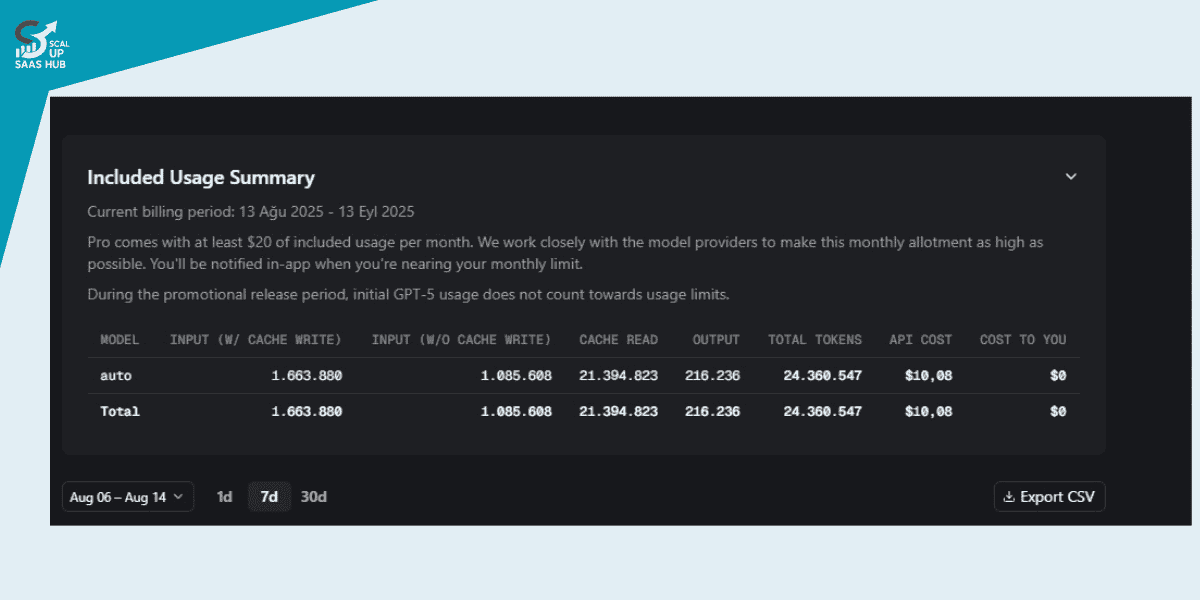
Yes, Cursor changed its pricing system in August 2025, moving to a credit-based model. This gave many users, including myself, the impression that it had become very expensive for heavy use.
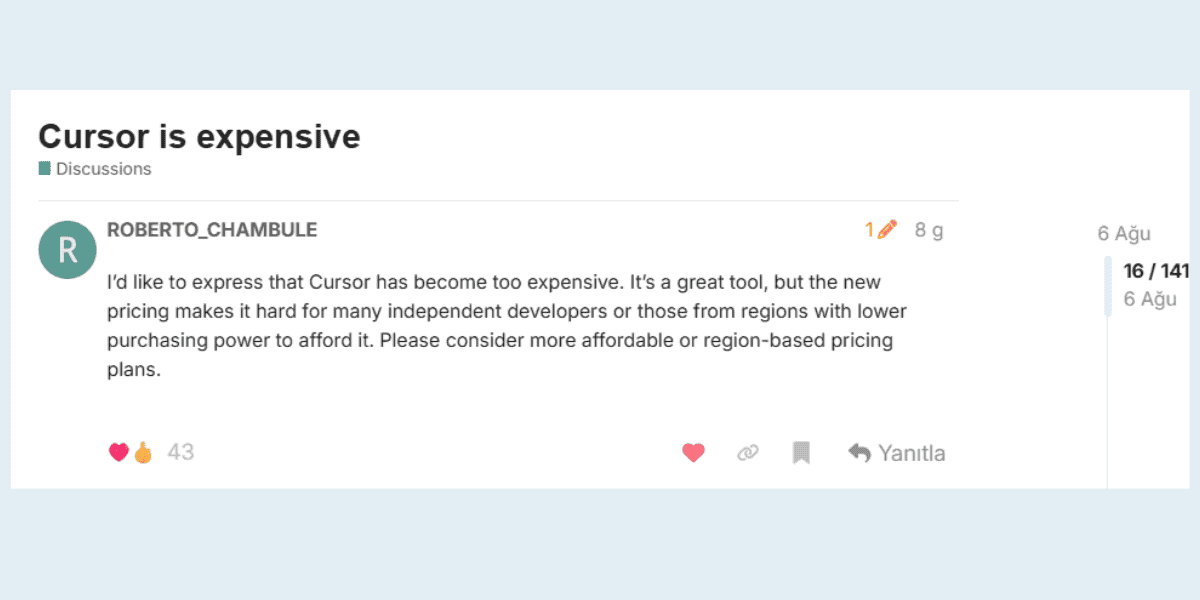
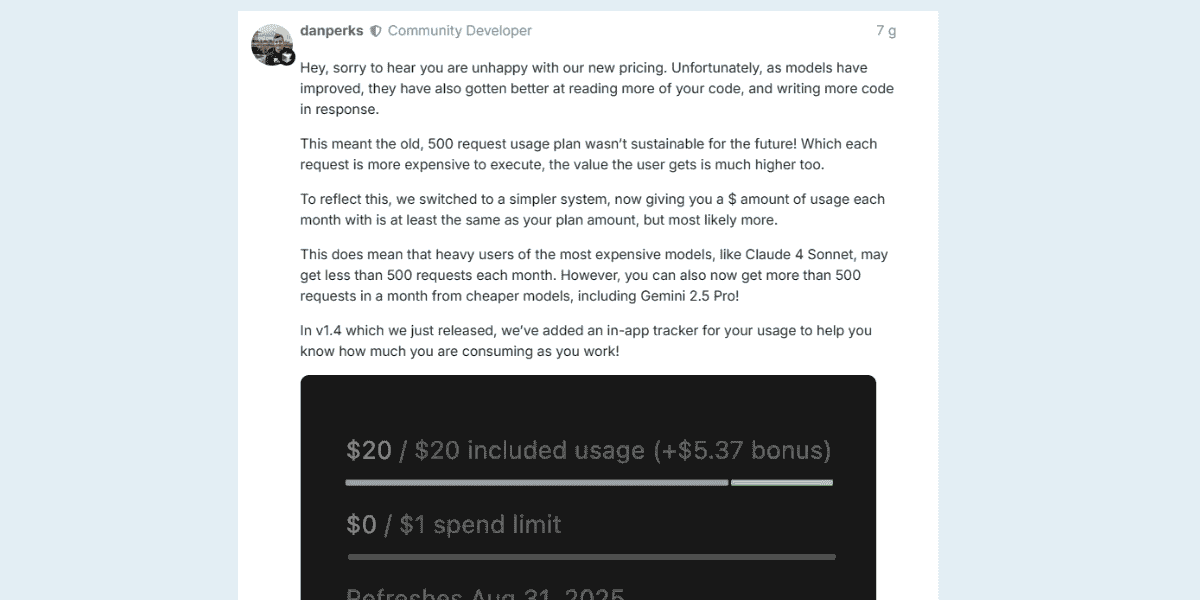
While a $10 cost for 10 hours of intensive work is a reasonable price, it’s important to remember that this cost is scalable. To reflect this, Cursor's team explained that as models improve, the old request-based plan was no longer sustainable. The new system provides a dollar amount of usage each month, which they argue gives much higher value.
Ultimately, if you want to produce fast and accurate work, I can recommend using Cursor or its biggest alternative, claude-code. I haven't tested the other recommended tools, so I can't comment on them. Faced with these high costs, my plan is to first finish the remaining credit on my $20 Cursor plan. After spending $10 on the first day, I have about $10 left. After that, I plan to pause my account and switch to claude-code. It's structured almost identically to Cursor, but user reviews indicate it consumes fewer tokens, and developers generally find Claude's AI to be superior for coding.
So, that’s my "Vibe Coding" origin story and the experience I've gained so far. I hope that by reading this, you can get the necessary steps and practical ideas to build more efficient projects when you start coding with AI.
This concludes Part 1 of our article. Now, let's dive into the story of "vibe coding" itself. How did it emerge? What are the variables between the human factor and the AI factor? I've prepared a comparison table and a guide for just that...
Part 2: The Vibe Coding Playbook: A Practical Guide
In the first part of this guide, I shared my personal journey of navigating the new landscape of AI coding tools—the good, the bad, and the expensive. I hope it gave you some practical ideas for getting started.
Now, let's dive into the story of "vibe coding" itself. How did this concept emerge, and what does it really mean to build a web app this way? What are the new rules of engagement between the human developer and the AI agent? I’ve analyzed the community discussions and put together a guide.
The Origin Story: What Exactly is "Vibe Coding"?
The term "vibe coding" was coined in a now-famous tweet by AI luminary
Andrej Karpathy. He described it as a new way of working where you "fully give in to the vibes, embrace exponentials, and forget that the code even exists".
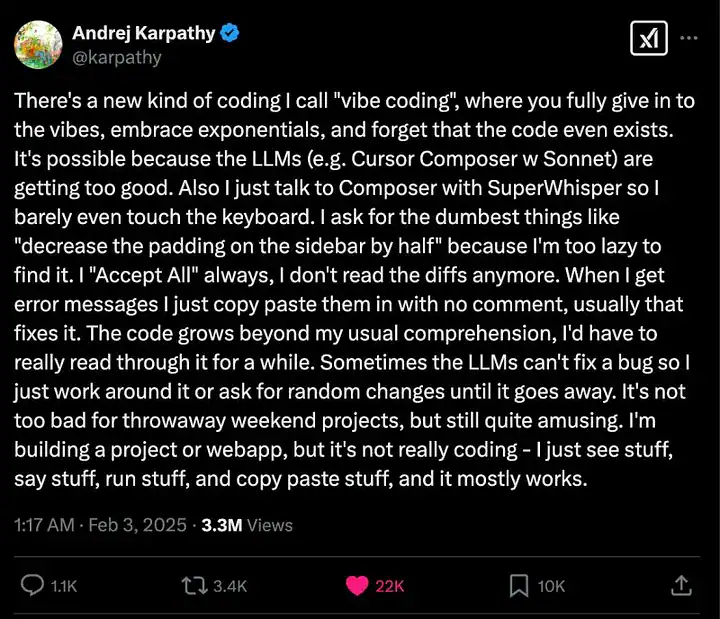
Karpathy's post perfectly captured the new reality many developers are experiencing. The core ideas are:
- Trust the LLM: The models are getting so good that you can often work at a higher level of abstraction, talking to them with voice commands and barely touching the keyboard.
- Embrace the Chaos: You stop reading every line of code or every diff. You "Accept All," paste error messages without comment, and let the code grow beyond your immediate comprehension.
- It's Not "Coding": As Karpathy puts it, "I'm building a project or webapp, but it's not really coding - I just see stuff, say stuff, run stuff, and copy paste stuff, and it mostly works".
A Practical Guide: The 15 Rules of Vibe Coding
Since Karpathy's tweet, the community has worked to distill this new philosophy into a set of practical, actionable rules. This guide of "15 Rules of Vibe Coding" is one of the best summaries out there, blending the "pure vibe" approach with the discipline needed to actually ship a product.
Instead of just listing them, let's group them into key strategic themes:
Theme 1: The Workflow Loop (Code, Test, Refine)
- Run locally, test frequently (Rule 5): Use built-in servers to run your app locally and catch issues early.
- Iterate and refine (Rule 6): Embrace rapid iteration. Don't worry about perfect beginnings; improve your work step by step.
- Copy and paste errors (Rule 9): When you get an error, copy the entire message and paste it directly into the AI agent. If it's not fixed the first time, explain the issue in more detail.
- Deploy early (Rule 13): Use platforms like Vercel to deploy your app easily and ensure there are no errors in the deployment process.
Theme 2: Interacting with the AI
- Use agent mode (Rule 2): Utilize the AI's agent mode to create, edit, and manage files through natural language commands.
- Create new chats for new tasks (Rule 4): Open a new chat for each distinct task to keep the agent's context focused and short.
- Utilize voice-to-text (Rule 7): Use tools like WhisperFlow for faster input. Just vibe.
- Keep a record of your best prompts (Rule 14): Document your most effective prompts to make future development and debugging easier.
Theme 3: Best Practices & Mindset
- Start from a template (Rule 1): Don't start from scratch. Clone a template from GitHub or use a built-in starter kit to get a solid foundation.
- Use version control (Rule 12): Push your progress to GitHub regularly to track changes and safeguard your work. You can just ask the agent to do this for you.
- Secure your secrets (Rule 11): Always store API keys and sensitive data in environment files, not hard-coded in your work.
- Enjoy the process (Rule 15): Embrace the creative journey of vibe coding. Experiment, learn, and have fun along the way.
Vibe Coding Isn't Dumb, But You Need a Strategy
While the chaotic, "just vibe" approach is fun, for any serious project, a bit of structure is essential. As another popular post argues, "Vibe Coding Isn't Dumb - You're Just Doing It Wrong". The key is to blend the speed of AI with the discipline of good software engineering.
The most critical strategic advice includes:
- Pick a mainstream tech stack (e.g., Next.js + Supabase): This ensures the AI has the largest pool of examples to draw from and is more likely to succeed.
- Write a simple PRD (Product Requirement Document): This doesn't need to be a 50-page document. Just a simple text file that clarifies what you actually want to build and breaks the work into small, clear steps. This forces you to think before you code.
- Use version control (Git): This is non-negotiable. It will eventually save you from a mess when the AI makes a mistake.
- Start a new chat for new errors: The "copy-paste to chat to fix -> error -> repeat" cycle is a trap. When you hit a major roadblock, open a fresh chat and clearly explain what's broken, what you expected, and what you've already tried.
By blending these strategies with the "15 Rules," you can move from just playing with a fun new toy to effectively building and shipping real products.